Wed 25 Nov 2026 · 14:52 · 3 min read
The Approval Queue: How Your Agent Publishes Without Surprising You
Giving an agent access to your blog raises one obvious worry: will it publish something you would not. Here is how permissions, the approval queue and revisions answer it.
Picture the worry first. You connect your agent to your blog, ask for a post and go to bed. In the morning, something is live under your name that you have not read.
That is the main reason people hesitate to hand an agent a publishing tool. It is a fair one, and the answer is built into how Adyli works. Nothing goes live until a person has read it, unless you say otherwise.
This post explains the three layers behind that sentence: what the agent is allowed to do, where its posts wait, and how every change can be undone.
Layer one: what the agent may do
When you connect an agent, you choose its permissions at sign-in. Two matter most:
- Publish without asking. Off by default.
- Change the brand brief without asking. Off by default.
With both off, the agent can research, draft, edit drafts and submit posts, but it cannot put a post live or rewrite your voice on its own. If you connected Claude or ChatGPT and accepted the defaults, this is the setup you have.
Layer two: the approval queue
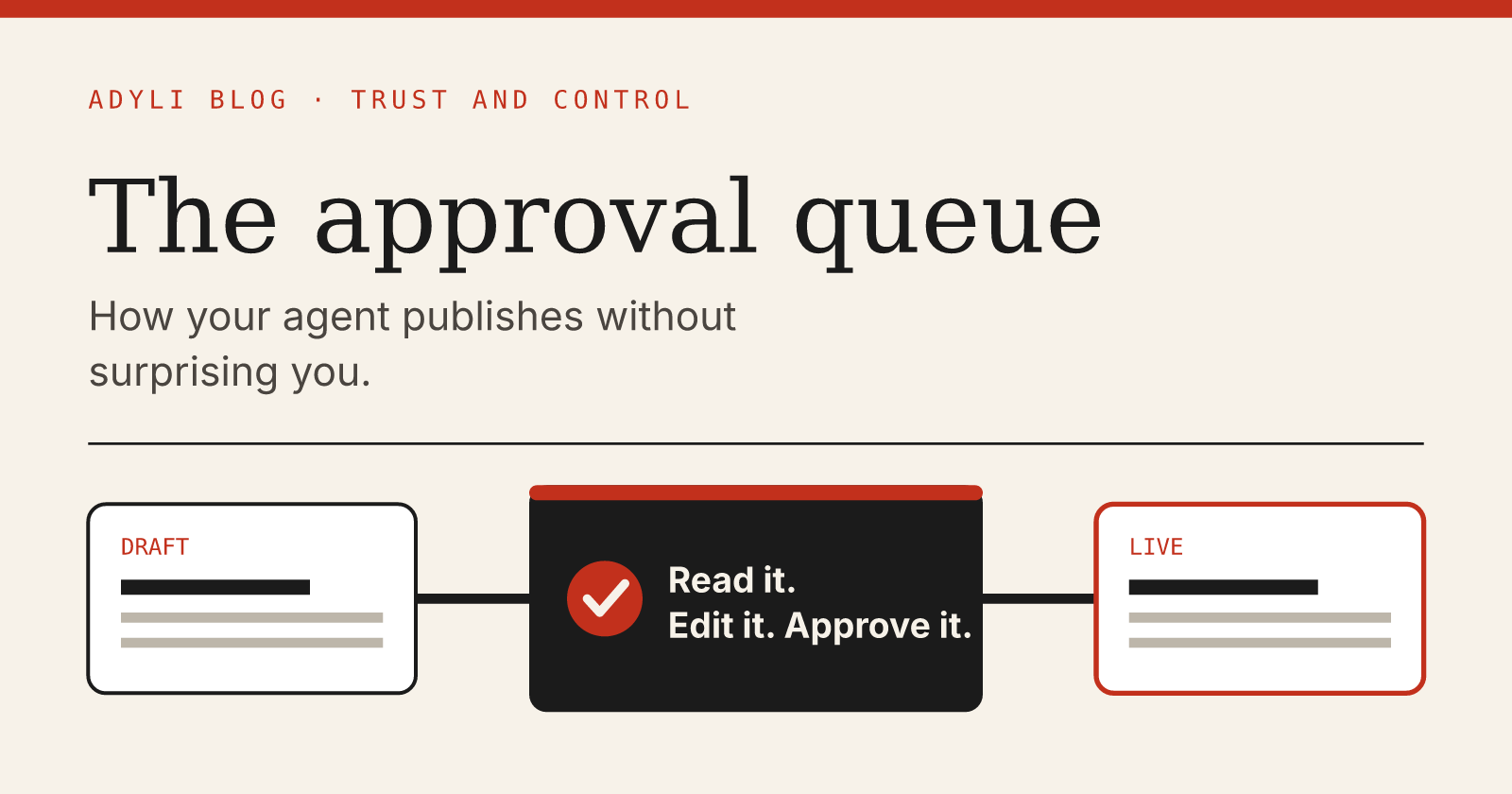
The approval queue is on by default. When your agent calls publish_post, Adyli does not publish. It sends the post to the queue and tells you. The agent gets a message saying the post is waiting for approval, which is expected behaviour and not an error.
In the queue you can:
- read the post as readers would see it
- edit it yourself in the editor
- approve it, so it goes out
- send it back
Your Today page shows what is waiting, what went out and what is next. Adyli also notifies you in the app and by email when a draft is ready, so you do not need to check in.
The queue holds posts from your agent. It does not get in the way of your own writing. You can write posts yourself in the editor, with full revision history.
Layer three: everything can be undone
Every edit to a post is kept as a revision, whether the agent made it or you did. You can open the history and roll back to an earlier version.
The same applies to your brand brief. The agent can suggest changes to your voice, audience and word lists through propose_brand_brief. Those suggestions appear in your dashboard for review, field by field, and you keep the parts that sound like you. Every version of the brief is kept, with one-click restore.
If you would rather the agent applied brief changes directly, you can allow it when you connect. Every version is still saved.
What the fact check does, and what it does not
Before handing over a draft, your agent can call fact_check. It pulls each claim out of the text and checks it against the sources the research desk returned. Claims without support get flagged, so the agent can fix them or cut them.
That catches unsupported statements. It does not replace your read. It will not tell you that a paragraph sounds unlike you, that the angle is wrong or that a claim is true but unwise to publish. The queue is where those judgments belong, and the fact check makes them quicker because a draft arrives with its sources attached.
A sensible way to use the queue
You do not have to review forever. A reasonable path:
- Keep the defaults for the first few posts and read each one properly.
- Fix the cause when something is off. If the voice is wrong, ask the agent to read your best posts and propose a brand brief, then review its suggestions. If the facts are thin, ask for more research before drafting.
- Decide later whether to relax anything. The option to publish without asking exists, but you are never required to use it.
The approval queue is included on every plan, and you decide when, or whether, to switch it off.
If you change your mind about an agent
Every connected agent appears on the Connect page, and you can revoke any connection in one click.
What to do next
Connect an agent, ask for one post and open the queue. Read it as you would a draft from a new writer, then edit it, approve it or send it back.
Sources
- Adyli · ady.li
- What is the Model Context Protocol (MCP)? · modelcontextprotocol.io