Thu 26 Nov 2026 · 10:23 · 2 min read
Research and Fact-Checking on Adyli: What a Research Call Is and How to Read the Sources Tab
One research call is one search-and-read or one fact check, and a typical post uses about eight. Here is what the four research tools do and how to read the Sources tab before you approve a post.
An agent can browse a little. It cannot read a stack of pages in full, keep to what each site's robots.txt allows, date every source and then check each claim in a draft against what it read. That part runs on Adyli's servers, and it is the research desk.
What counts as a research call
One call is one search-and-read, or one fact check. A typical well-researched post uses about eight. Your usage shows on the Billing and Connect pages.
| Plan | Calls per month | |---|---| | Free | 50 | | Writer | 500 | | Desk | 2,500 | | Newsroom | 15,000 |
Limits can change, so check the live pricing page before you plan around them.
The four research tools
Your agent calls these. You can also ask for them by name.
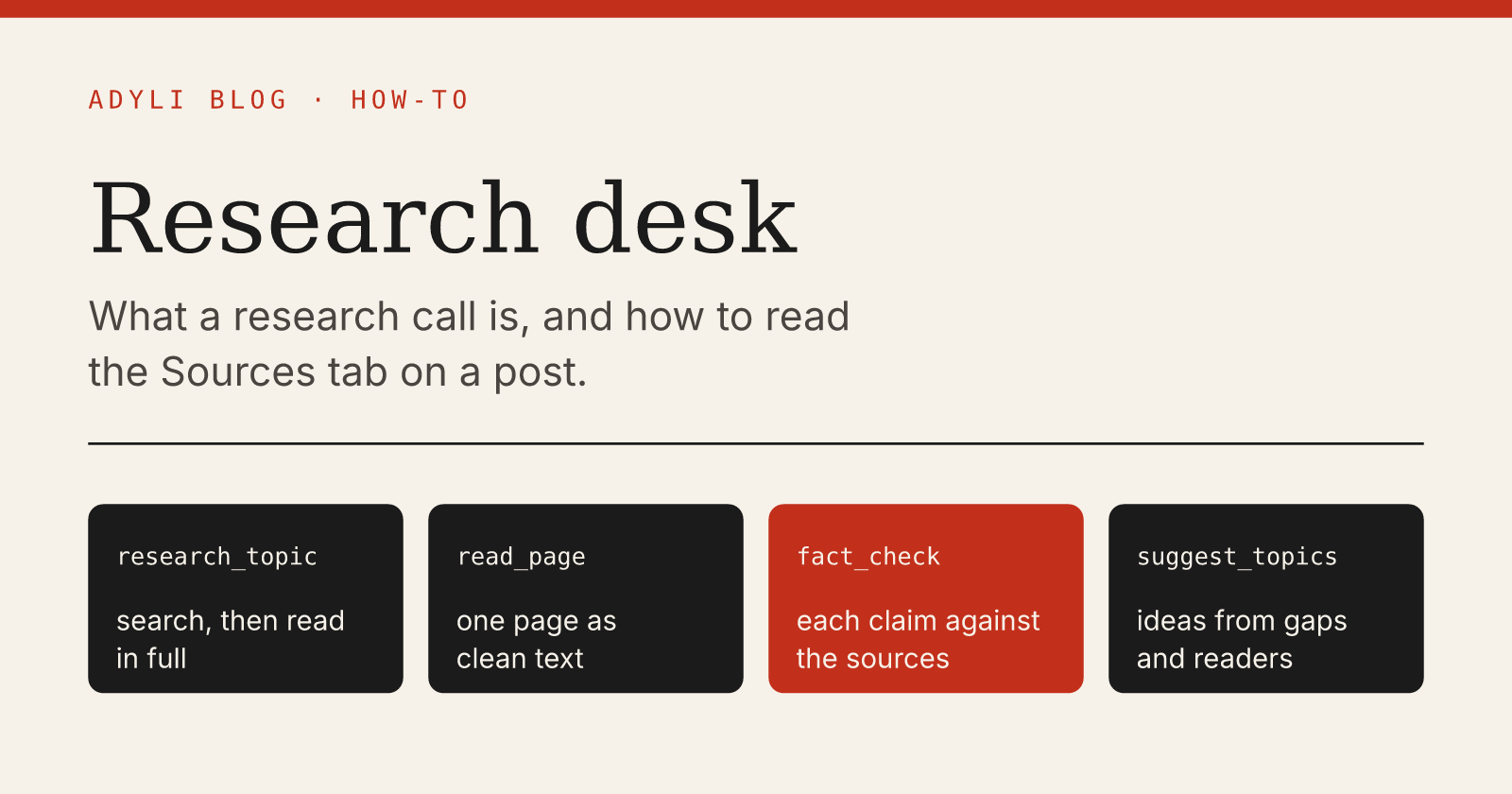
research_topicsearches the web, reads the relevant pages in full and returns them as dated sources. An optionalanglepoints the research at your argument, andkeywordsnarrow it.read_pagereads one address as clean text, including pages that depend on JavaScript.fact_checkpulls each claim out of a draft and checks it against the sources. Pass apost_idto use the draft's stored sources, or passbodyto check any text.suggest_topicsoffers ideas based on what the blog has covered, the gaps, and what readers liked.
Research respects each site's robots.txt and dates every source.
Trusted sources
On Brand brief, under Trusted sources, add the addresses Adyli should read first for every draft. Good candidates are your own docs or your own site. Your agent can propose additions too, and you review them.
Reading the Sources tab
Open a post and choose Sources from the post tabs. It has three parts.
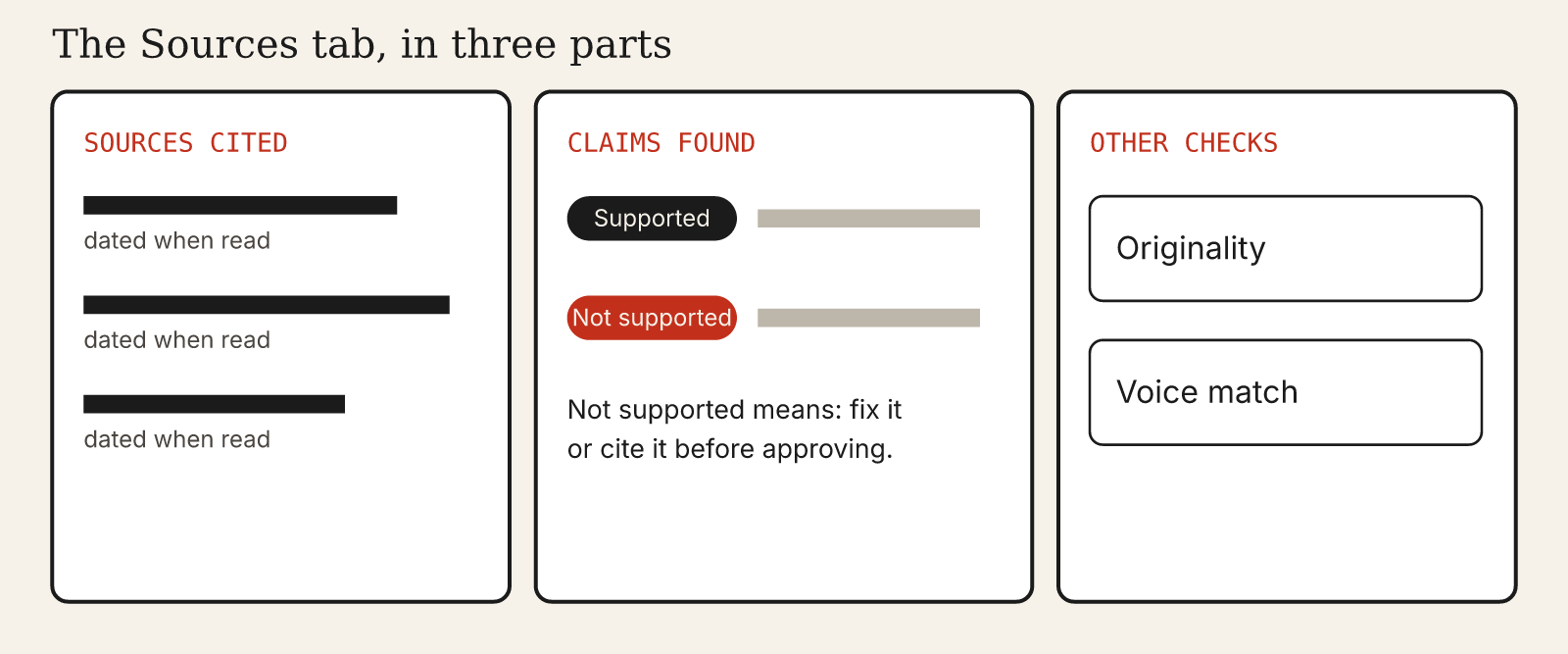
- Sources cited: the pages the draft was written from.
- Claims found: each claim in the text, marked supported or not. A claim marked "None of the sources supports this. It may be wrong" needs fixing or a citation.
- Checks: one for Originality and one for Voice match.
To fix an unsupported claim, ask your agent to cite it or cut it. You can also select the sentence in the editor and choose Find a source.
Good habits
- Ask the agent to fact-check before it hands the post over.
- Keep your trusted sources current.
- Do not approve a post with unsupported claims left open.
Next step
Open the Sources tab on your next queued post and read the claims marked unsupported first. They are where a draft is most likely to be wrong.
Sources