Thu 26 Nov 2026 · 10:24 · 2 min read
Billing and Plans on Adyli: What Each Plan Includes and What Your Agent's Writing Costs
Free, Writer, Desk and Newsroom differ in research calls, storage, AI edits, blogs, seats and domains. Your agent's writing costs nothing on Adyli, because it runs on your own Claude or ChatGPT plan.
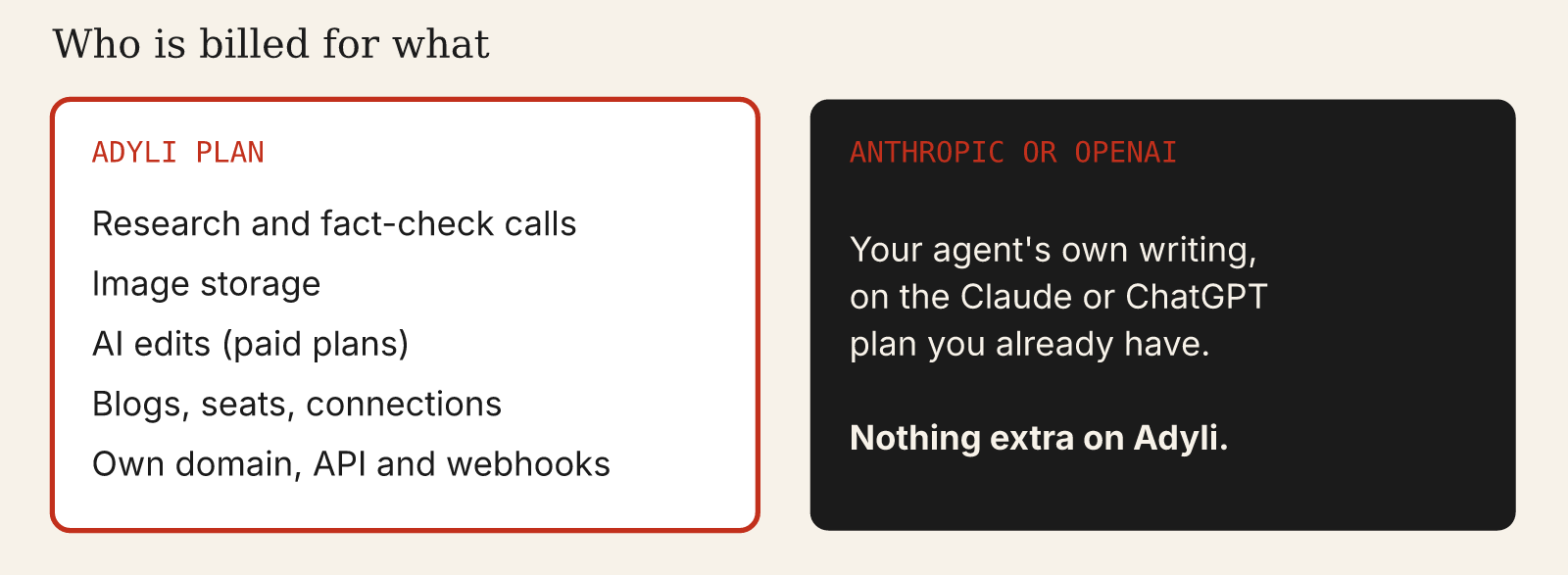
There is one line to understand before the plan table. You pay Adyli for the press: research, fact-checking, storage, hosting and publishing. You do not pay Adyli for the writing, because your agent runs on the Claude or ChatGPT plan you already have.
Open Billing under the Account group for live numbers. Limits are set by the operator and may change, so treat the table below as a snapshot.
The plans
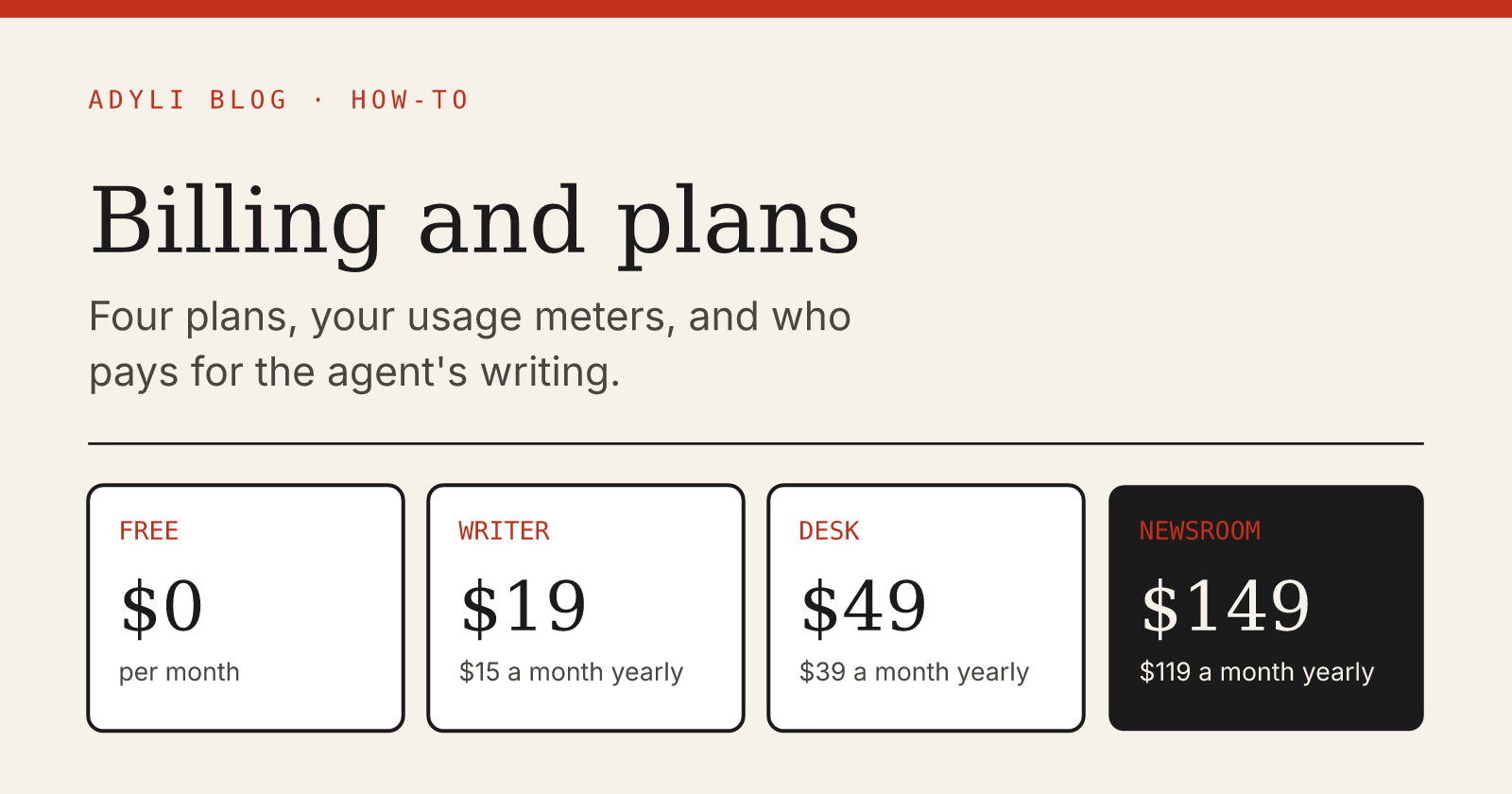
| | Free | Writer | Desk | Newsroom | |---|---|---|---|---| | Price / month | $0 | $19 ($15 yearly) | $49 ($39 yearly) | $149 ($119 yearly) | | Posts you write | 10 in total | Unlimited | Unlimited | Unlimited | | Research + fact-check calls / month | 50 | 500 | 2,500 | 15,000 | | AI edits / month | 0 | 20 | 50 | 200 | | Image storage | 100 MB | 2 GB | 10 GB | 50 GB | | Blogs | 1 | 1 | 1 | 5 | | Team seats | 1 | 1 | 1 | 5 | | Agent connections | 1 | 3 | 10 | Unlimited | | Own domain | No | Yes | Yes | Yes | | "Published with Adyli" footer | Shown | Shown | Hidden | Hidden | | REST API and webhooks | No | No | Yes | Yes |
Yearly billing is about 20% off.
What the agent's writing costs
Nothing on Adyli. The agent runs on your own Claude or ChatGPT plan, and Anthropic or OpenAI bills you for that.
The meters
Billing shows how much you have used this cycle: research calls, image storage, AI edits and, on Free, the posts you have written this month. When you get close to a limit, Adyli notifies you. Limits reset each cycle.
Upgrade, switch or cancel
- Choose Monthly or Yearly · 20% off.
- Pick a plan. You go to Stripe's secure checkout.
- Your plan updates when Stripe confirms, usually within a minute.
Switching, cancelling and changing your card all open Stripe's billing page, which handles proration and receipts. Invoices are listed on the Billing page.
Next step
Open Billing and read the meters after your first few posts. If research calls run out first, that is the limit to plan around.
Sources
- Adyli billing and plans guide · ady.li